


What you can track
Anything you take regularly. Each supplement in mond has its own unit, daily goal and quick amounts, so a scoop of creatine and a couple of vitamin D drops are logged the way you actually take them. Units are grams, milligrams, pills, capsules and drops.
Vitamins
Vitamin D3, B12 or a multivitamin. Count pills, capsules or drops, or log milligrams.
Minerals
Magnesium, zinc or iron. Count capsules, or log milligrams from the Supplement Facts label.
Omega-3 and fish oil
Count softgels and set how many you take a day.
Creatine and powders
Log grams with presets for your usual scoop. Creatine also gets a loading week and portions. More on creatine.
Caffeine
Log milligrams. With Apple Health connected, mond can save caffeine there too.
Anything else
Add your own supplement with a name, color, unit and daily goal.
Build your stack
Your stack is the list of supplements you take. In mond, each one has:
- A daily goal, such as 5 g, 2 capsules or 400 mg. Today's progress shows how much of it you've had.
- Quick amounts for one-tap logging, plus a custom amount when you need it.
- A schedule: every day, chosen days of the week, or a cycle with planned breaks.
- A color, so you can tell supplements apart at a glance.
- Supply tracking, if you want it. Tell mond what's in the pack and every logged dose comes off it.
Stopping something for a while? Pause it. Paused supplements keep their history but drop out of Today and your reminders. Changes you make to your stack in the web version show up in the iPhone app too.
Log it in one tap
Open mond and tap Take. Or don't open it at all: tap Log All on the Home Screen widget. On iOS 18 and later there are Lock Screen and Control Center buttons as well, and Siri can log for you ("Log creatine with mond"). Forgot yesterday? Tap that day in the calendar and log it there.
You can log the same supplement more than once a day. Each log adds to today's total, which is handy for two capsules taken at different meals.
See whether today is done
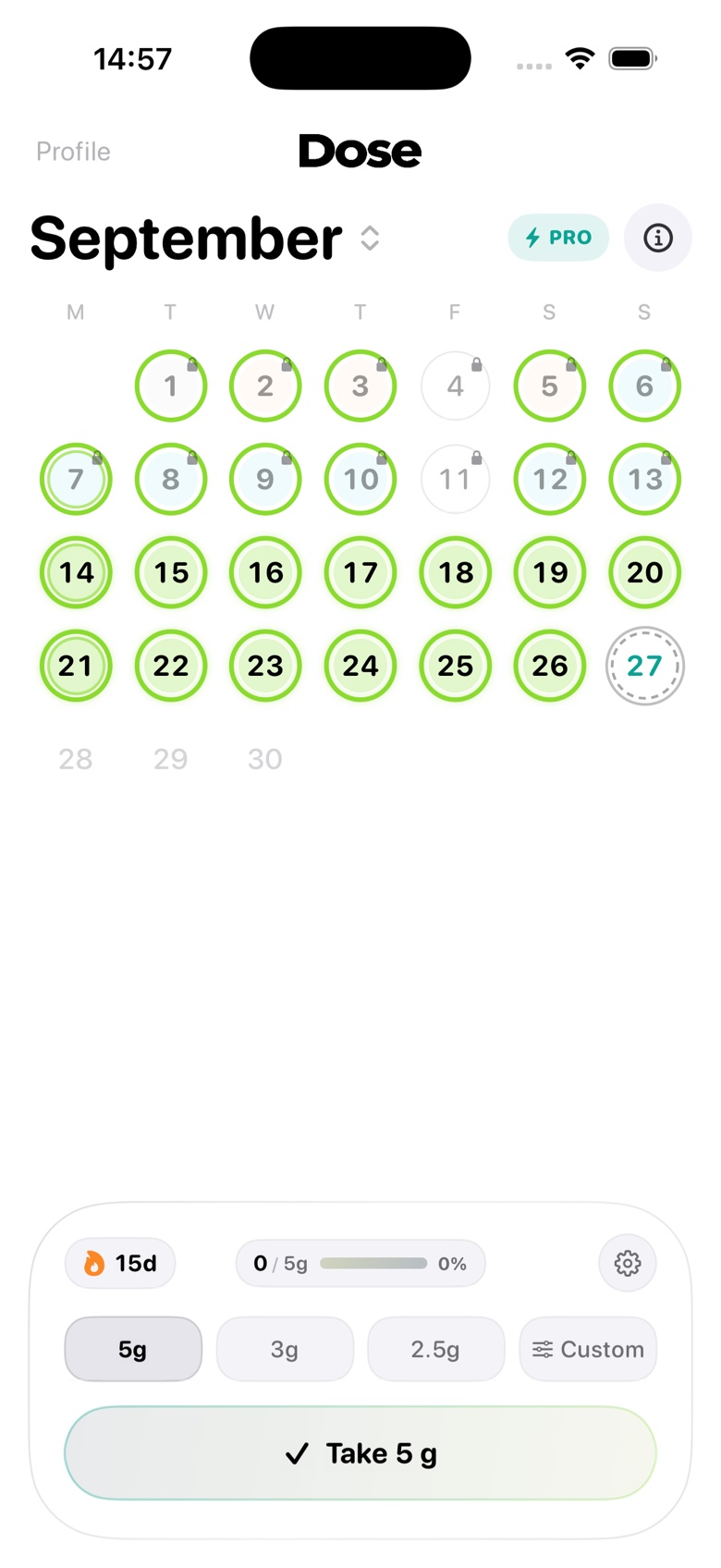
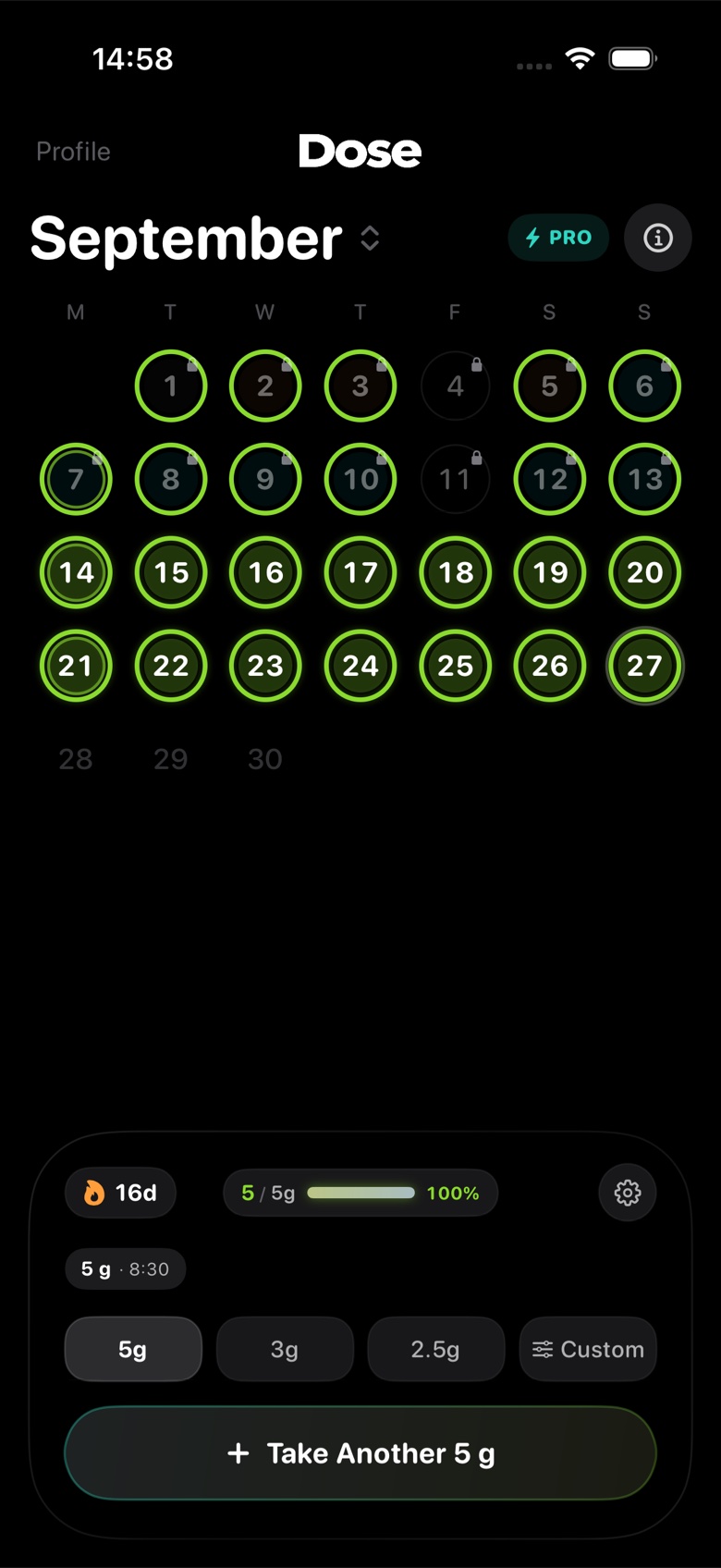
Every day you take your stack gets a green ring on the month calendar, so gaps stand out. mond shows your current and best streak and how consistent you've been over the last 30 days. mond Pro, which is optional, adds your full history.
Reminders that know what's left
mond sends a daily reminder that names the supplements you haven't logged yet, for example "Time for Magnesium and Zinc." If you split creatine into portions, each portion has its own time. See how supplement reminders work in mond.
Tracking vitamin D, magnesium and other common supplements
A few practical tips, so your log stays accurate when labels and brands change.
Vitamin D
Vitamin D comes as drops, capsules and tablets, and labels may give the strength in micrograms (mcg), international units (IU) or both. One microgram of vitamin D is the same as 40 IU, as the NHS explains.[1] mond counts drops, capsules or pills rather than IU, so put the strength in the name, such as "Vitamin D3 1,000 IU". If you take it weekly rather than daily, give it a schedule for that day of the week.
Magnesium
The Supplement Facts panel lists the serving size and the amount per serving,[2] and a serving can be more than one capsule. Count capsules, or log milligrams if you'd rather track the amount. Name the form if you switch products, for example "Magnesium glycinate", so your history still makes sense later.
Omega-3
Fish oil is usually counted in softgels. Set your daily goal in capsules, for example 2, and log each one when you take it.
Multivitamins
Log a multivitamin as one supplement. You don't need to enter each vitamin in it.
Creatine
Creatine gets the most options: grams, a suggested daily amount from your body weight, a 7-day loading week, portions and a saturation estimate. See the creatine tracker and our guide to tracking creatine.
What mond doesn't do
mond is deliberately simple. It doesn't scan barcodes or look products up in a database, doesn't total up nutrients or rate brands, and doesn't check interactions between supplements and medicines. If you need those, other apps are built for them: see how mond compares with SuppCo, Medisafe, Apple Health and others.
Not medical advice. mond tracks what you take; it doesn't tell you what to take. The FDA advises talking to your doctor, pharmacist or another health care professional before you start a dietary supplement.[2]
Questions
Is mond a vitamin tracker?
Yes. Vitamins are supplements, so they work like everything else in mond: pick a unit (pills, capsules, drops or milligrams), set a daily goal and log each one in a tap.
Can I track supplements I don't take every day?
Yes. Give each supplement a schedule: every day, chosen days of the week, or a cycle with planned breaks.
Can I log the same supplement more than once a day?
Yes. Each log adds to today's total until you reach your daily goal, for example two capsules taken at different meals.
Does mond know which supplements interact?
No. mond doesn't check interactions. Ask a pharmacist, and keep a full list of your supplements and medicines for appointments. Our guide to keeping a supplement log shows what to write down.
Do I need an account?
No. Without an account your data stays on your iPhone. Sign in if you want a backup and the web version.
When can I get it, and what does it cost?
mond is coming soon to the App Store and is free to download. Tracking your whole stack, reminders and widgets are free; mond Pro is optional. Join the waitlist to hear the day it's out, or use the web version now.
Sources
- NHS. How and when to take colecalciferol (vitamin D). Page last reviewed 10 January 2023. nhs.uk
- U.S. Food and Drug Administration. Questions and Answers on Dietary Supplements. Content current as of 08/27/2026. fda.gov

