


What mond does for your creatine routine
Creatine works when you take it consistently, so mond is built around one question: did I take it today? These are the parts that matter for a daily scoop.
One tap, any day
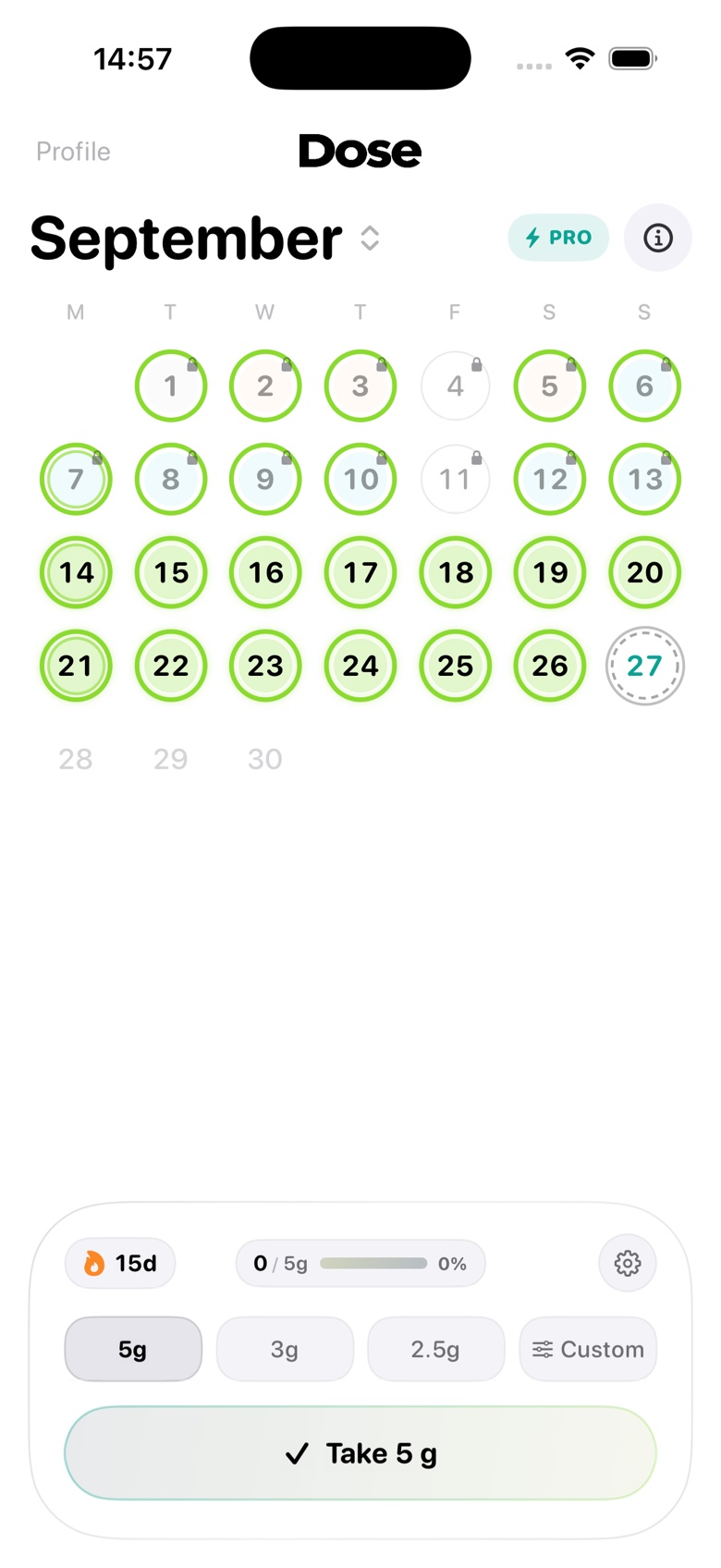
Pick a preset or enter an exact amount in grams, then tap Take. Forgot yesterday? Tap that day in the calendar and log it there.
A starting amount from your weight
mond can suggest a daily amount based on your body weight. It is a starting point, not medical advice, and you can always set your own.
Loading week and portions
Switch on a 7-day loading week and mond returns to your maintenance amount when it ends. Split your daily amount into portions, each with its own time.
Reminders that know what's left
Your daily reminder names exactly what you still need to take, so you are never guessing.
Streaks and a month at a glance
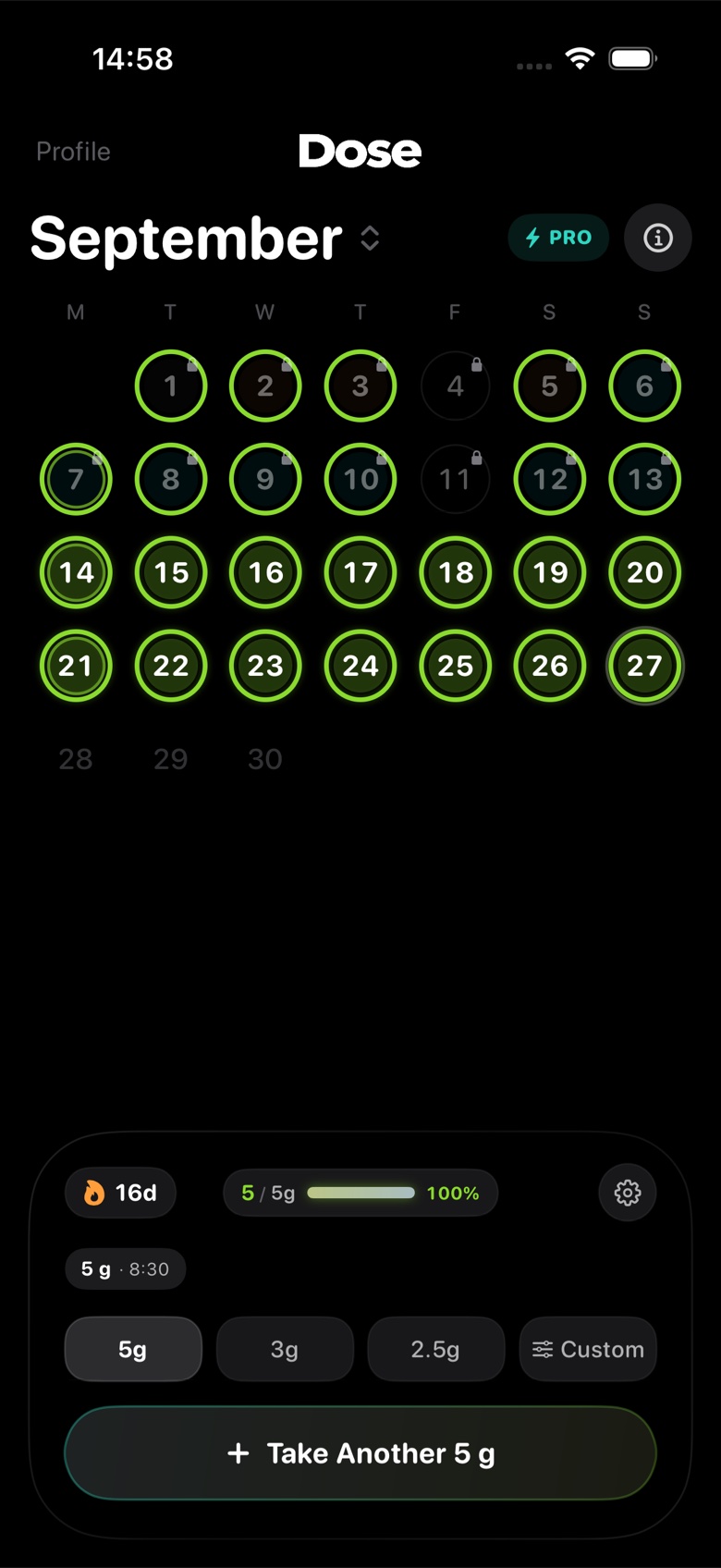
Every day you take it gets a green ring. Watch your streak grow and spot the gaps in one look.
Widgets, Lock Screen and Siri
Log from a Home Screen widget, from a Lock Screen or Control Center button on iOS 18 and later, or just say "Log creatine with mond".
A saturation estimate
See an estimate of your creatine saturation based on the doses you log. It is an estimate from your history, not a lab measurement.
The rest of your stack
Magnesium, vitamin D3, omega-3, zinc, caffeine or anything you add yourself work the same way. With Apple Health connected, mond can also save water when you log creatine.
A day with mond
- Morning. Your reminder names what you still need to take.
- One tap. Tap Take on the Home screen, tap the widget, or ask Siri. The ring fills and your streak grows.
- Once a week. Open the calendar, see the month of rings, and fill in any day you forgot to log.
Creatine first, but not creatine only
You may take other supplements alongside creatine, like vitamin D, magnesium or omega-3. mond treats creatine as a first-class supplement, with a loading week, portions and a saturation estimate, and gives everything else the same one-tap logging. That keeps your whole routine in one app instead of two. See how the supplement tracker handles units, schedules and supply for the rest of your stack.
If you want the background on amounts, loading and what a missed day means, read our guide to tracking creatine. It cites the research it relies on.
Questions
Is mond only for creatine?
No. It starts with creatine but tracks any supplement: magnesium, vitamin D3, omega-3, zinc, caffeine or your own, in grams, pills, capsules, drops or mg.
When can I download mond?
mond is coming soon to the App Store. Join the waitlist and we'll email you the day it's out. The web version is open now at web.trymond.com.
Is mond free?
Yes. Tracking your whole stack, reminders and widgets are free. mond Pro is optional and adds extras like your full history.
How does mond suggest an amount?
If you enter your body weight, or let mond read it from Apple Health, it suggests a daily creatine amount as a starting point. It isn't medical advice, and you can set any amount you like. Summaries of the research typically describe 3–5 g a day for maintenance; our guide explains where that comes from.
Does mond support a loading phase?
Yes. You can switch on a 7-day loading week, split into portions, and mond goes back to your maintenance amount afterwards. Loading is optional.
Do I need an account or Apple Health?
No to both. Without an account everything stays on your iPhone, and Apple Health is optional.
What do I need to run it?
An iPhone with iOS 17 or later. There is no iPad or Android app right now, but the web version works in any browser.

